Branchline was meant to be the one place for my Git work. And yet I kept catching myself leaving it. Open the browser, go to GitLab or Bitbucket, read a merge request, leave a comment, come back. Over and over.
So the last two releases, 0.2.5 and 0.3.0, are mostly about one thing: reviews. Reading them in Branchline, and making them fun enough that I actually want to do them.
What a review is, and why I kept leaving
When a developer finishes a piece of work, they do not add it to the main code straight away. They open a merge request (GitLab’s name; Bitbucket and GitHub call it a pull request): a proposal that says “here are my changes, please take a look”. A colleague reads the changes, asks questions, leaves comments, and approves when it is good. That is a code review.
The reading and commenting happened on the website of GitLab or Bitbucket, while everything else happened in Branchline. That switching was the itch. What if the reviews simply came to me?
Reviews, right in Branchline
Since 0.2.5, Branchline has a Reviews view. You connect your GitLab account, and it shows three lists: the merge requests waiting for your review, the ones you created yourself, and all open ones in the project. Each with its pipeline, its comments and whether you already approved.
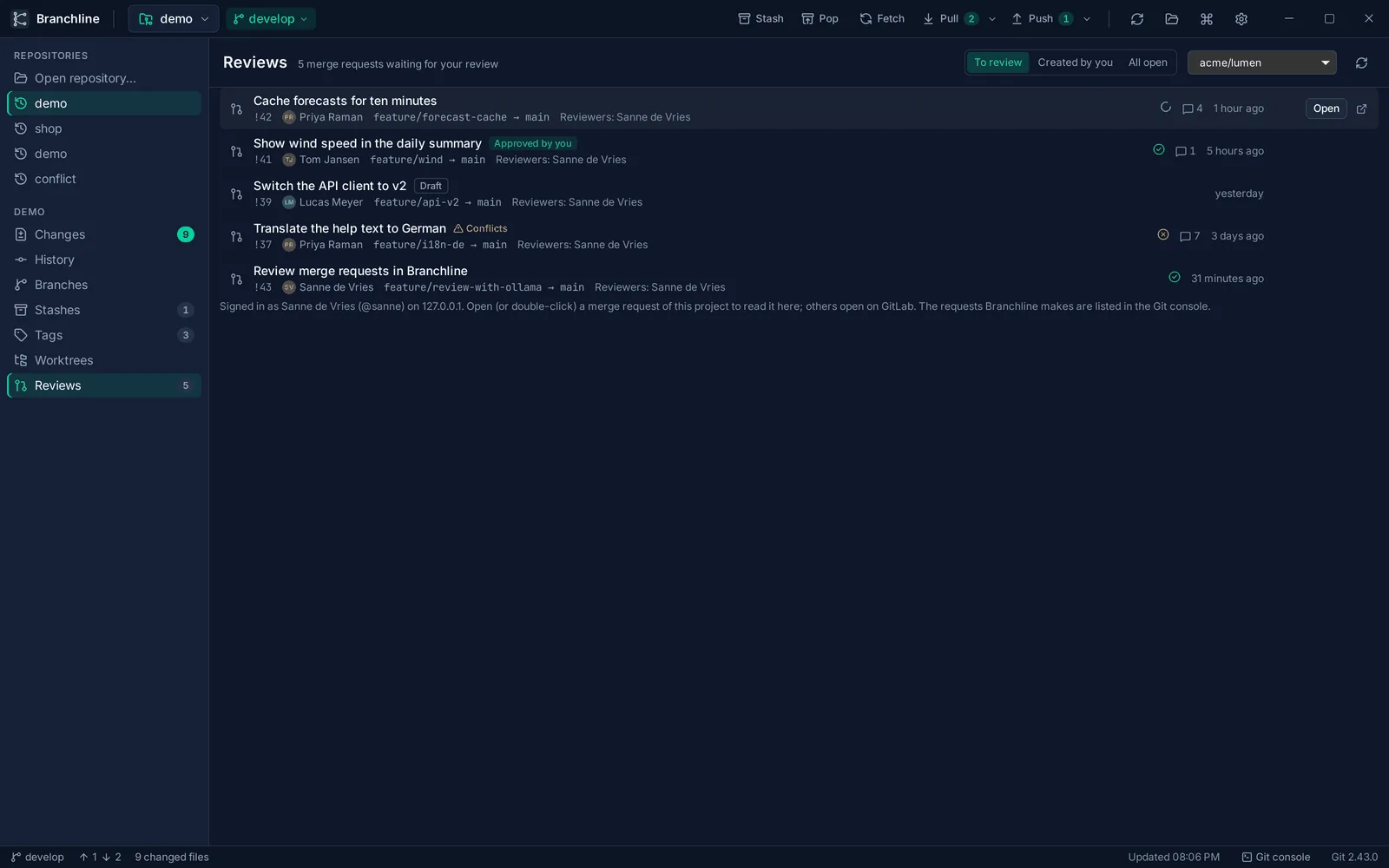
Open one, and you read it right there: the description, the discussion, the commits and every changed file, with the comment threads next to the lines they are about.
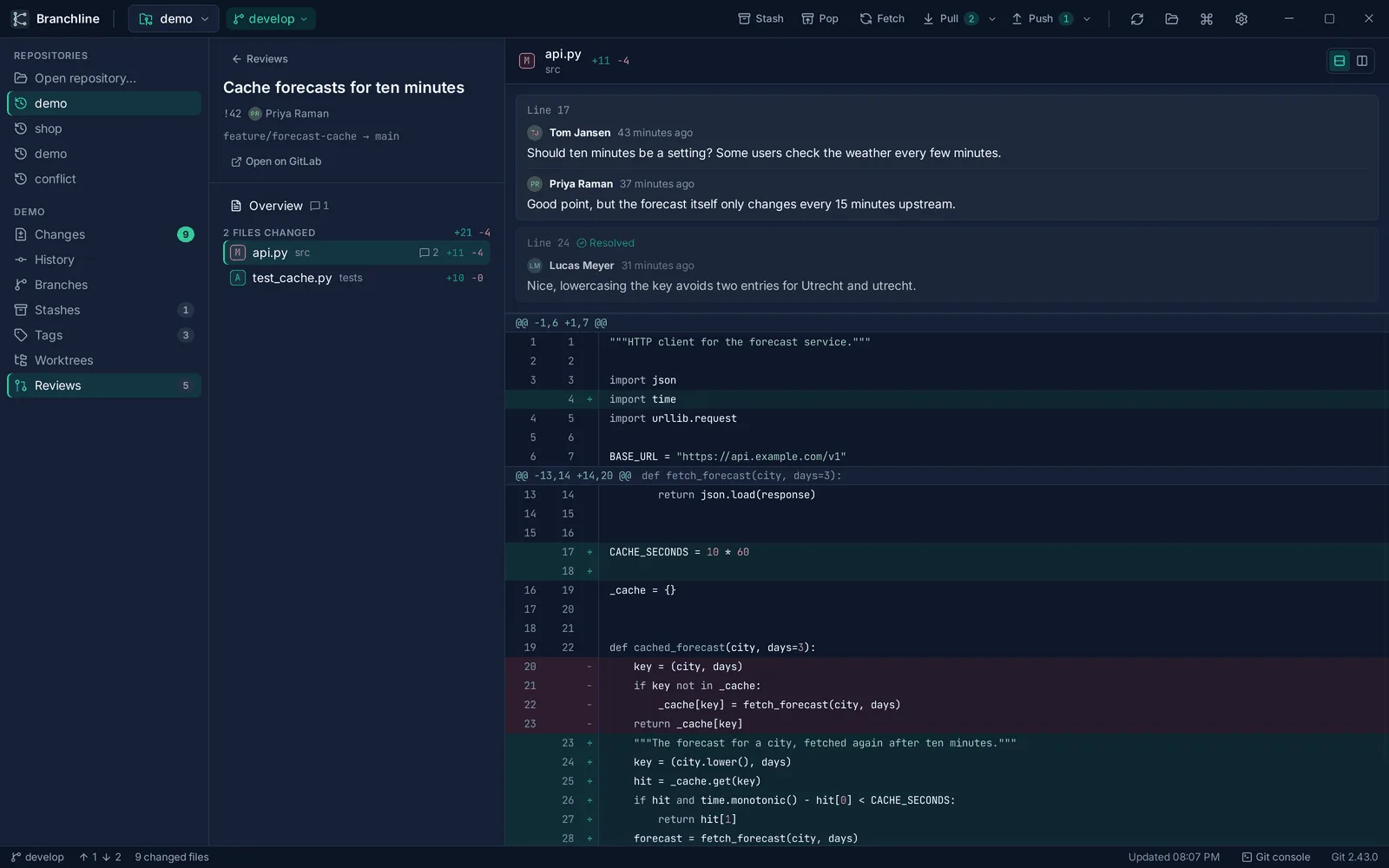
Version 0.3.0 adds Bitbucket Cloud, in beta. That one was close to home: my first tester and I share a repository on Bitbucket. Bitbucket does not tell you whether a pull request has conflicts, so Branchline tries the merge on your own computer and shows you which files would clash.
Too many reviews, too little time
There is a second reason, and it comes from my day job. We see a lot of merge requests there. Not because the team is big, but because everyone now uses AI to build new features. The code comes in faster than ever.
That creates a real risk: you stop reading properly. You skim, you approve, and slowly you lose touch with your own codebase. I wanted a way to stay connected to the code, to focus on the parts that actually matter, and to make that fun instead of a chore.
Enter the game master
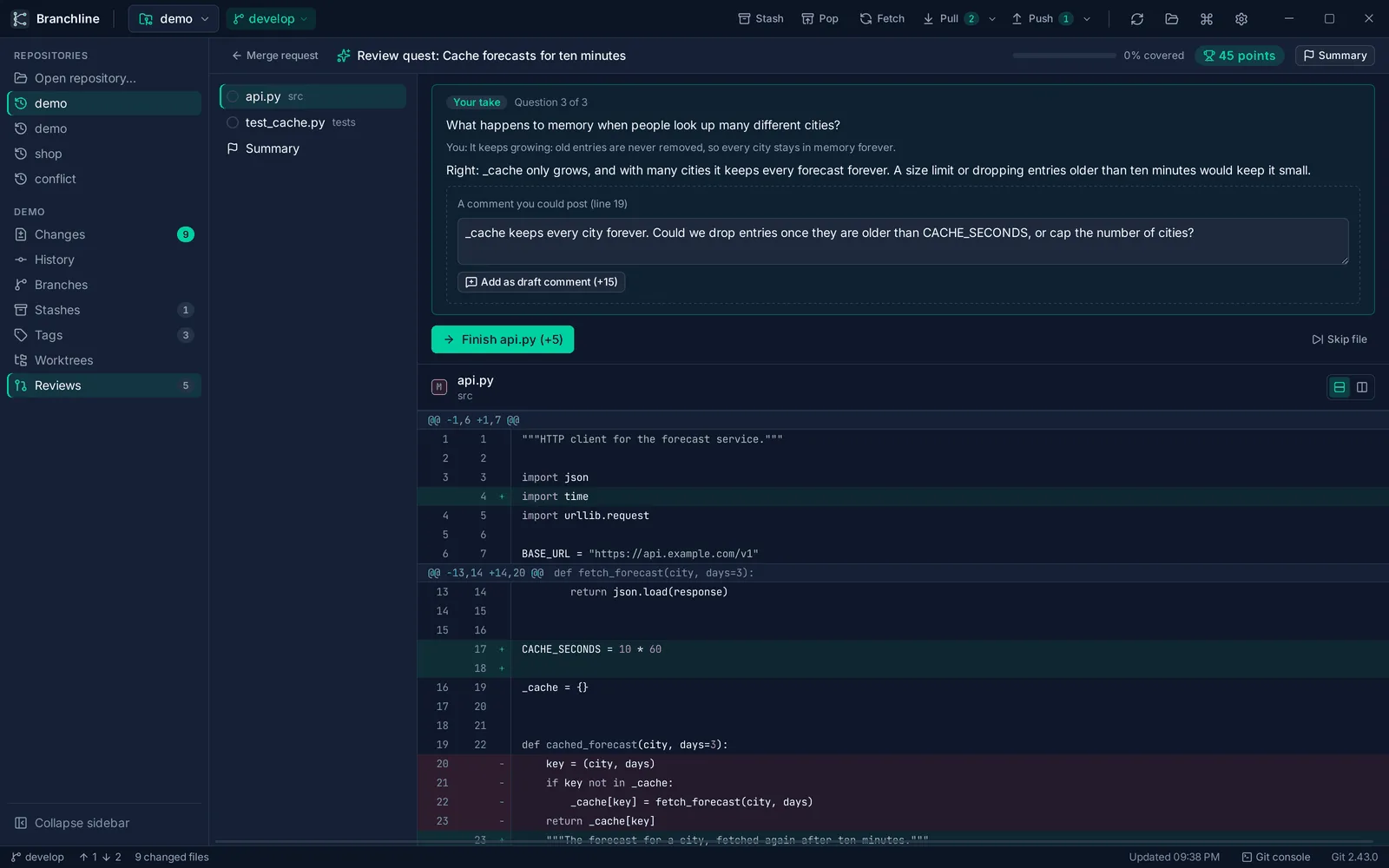
So in 0.3.0, with AI turned on, you can start a review quest. The AI plays game master and walks you through the merge request, file by file. For every changed file it asks one to three questions: a quiz, true or false, “find the line where this happens”, or an open question it responds to. Answer, and you earn points.
Along the way the AI may suggest review comments, and you can click any changed line to write your own. At the end you get a summary with your points, how much of the change you covered and all your draft comments. Files that nobody needs to read, like images, generated files and lock files, are left out. Big merge requests start with the largest changes.
It also works the other way around. With Review my branch, you play the same quest on your own work, before you ask anyone else to look at it.
The point is not the points. The questions make you actually think about what the code does, and that is exactly what skimming skips.
Honest status: the quest needs tuning
I will not pretend it is finished. A quest takes some time, and on larger files the AI sometimes struggles to come up with questions at all. But when it does, the questions are genuinely informative, and I learn more about a change than I would from scrolling through it.
Part of the struggle is the model. I run a local one, Qwen 3.5 with 9 billion parameters, on my own Mac. It is great for privacy, but it struggles to generate good questions quickly and reliably. Which brings me to the other big change.
Bring your own AI
Branchline is local-first, and that stays the default: your code only leaves your computer when you push it, or when you ask an AI for help. Until 0.2.5, that AI could only be Ollama, a way to run models on your own machine or server.
But a local model has limits, and many people have a personal or company account for GPT or Claude anyway. Dedicated AI servers simply have more powerful hardware than my laptop. So Branchline now lets you choose: Ollama, any server with an OpenAI-compatible API, Claude from Anthropic or GPT from OpenAI. The keys are stored in your system’s password store. And if you turn AI off, no AI feature appears anywhere.
I have not tested the cloud providers myself yet, so consider them fresh out of the oven. Local first is still what I recommend, but it should be your choice where your AI work happens.
A home of its own
Branchline lives on GitLab, with a mirror on GitHub. A repository page is fine for developers, but it is basically a README in a frame. With everything Branchline can do now, and the plans that are coming, I wanted a link I can share where every feature is explained properly, with a small roadmap.
So Branchline got its own website: branchline.bytefulminds.com. It has a tour of the features, the roadmap, the downloads for all three platforms and a list of frequently asked questions. In time, all my products will get a landing page like this, each in its own style.
What’s next
The review quest is only half the story while the comments stay in Branchline. Next up:
- Post your review from Branchline: the draft comments go to GitLab or Bitbucket on the right lines, and you approve or request changes without opening the website.
- Review notes: Branchline remembers what reviews in a project keep finding, and the quest asks about it next time.
- GitHub pull requests, after that.