It starts with a stare. Floppy sits in front of you, completely still, and looks at you. The moment you move, her mouth changes. It takes the shape of the very start of a bark, as if she is asking: “Are you really going to do what I think you are going to do?” At home we call that her Woefer.
Before I could turn her into a game character, I had to figure out what makes Floppy Floppy. So this post is two things: an introduction to the real corgi behind Floef, and the story of how she went from a photo to a 3D model in Blender.
Meet Floppy
Floppy is an eight-year-old Pembroke Welsh Corgi. Yes, she is named after the floppy disk; this is a developer’s household after all. At home we call her Floef, because of all the hair she sheds, which never stops. (a.k.a. Corgi glitter)
She is always in the mood to play. Once you start, she will not stop. People who come to visit are her main target: throw the ball once, and it never ends. She also loves treats, and doing tricks to earn them.
When she is calm, she is the most adorable being in the house. She lies flat on the floor with her back legs stretched out behind her, the position corgi people know as the sploot.
What the game should keep
In part 1 I told how the game got its name from our two corgis. Now that Floef is getting a body, I want her to really look like Floppy. The markings on her head should match, so you recognize her right away.
Later I want to add more of her. Her favorite things can become collectibles and power-ups in the game. Her happy paws, her Woefer and a few little inside jokes should find their way in too. But first things first: the basics.
A corgi on two legs
Being a photographer has its perks: I have plenty of good photos of Floppy to use as reference. But they all show one thing my game character will not do. Floppy walks on four legs. Floef walks on two, like a person.
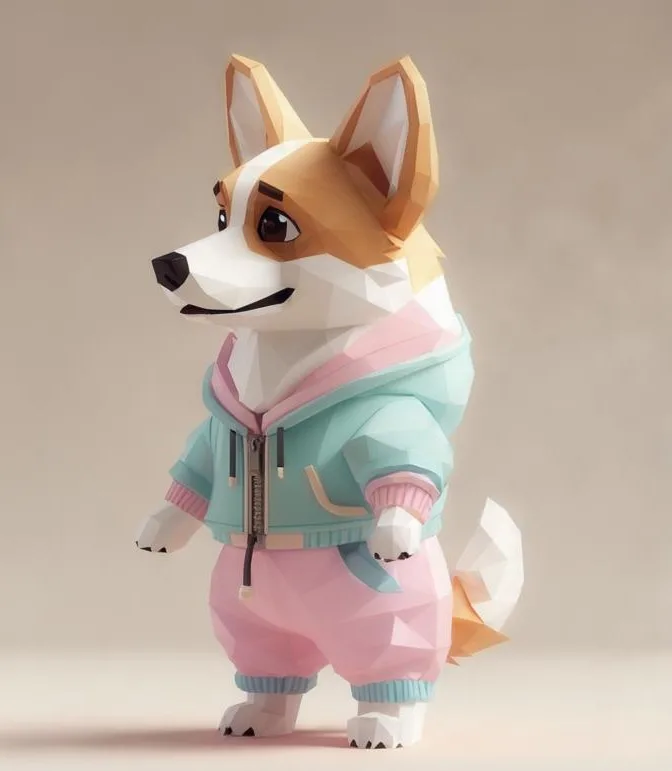
I had no idea where to start with that. So I did a small experiment: I asked an AI image generator to show me what an upright, low-poly corgi could look like, just to see what came out. It came back with a corgi in a mint hoodie and pink pants, and that became my starting reference for the modeling. The header image of the project page grew out of the same experiment, by the way: an AI test render with some elements from my prototype levels.
From picture to polygons
A 3D model is made of a mesh: a skin of small flat surfaces called faces, or polygons. Low-poly means you use as few of them as you can get away with, which is where the cozy, chunky look comes from.
My next step was to let AI turn the picture into a 3D model. A first tool, I honestly do not remember which one, made a side view of the model. For the version I could import into Blender, I used Meshy, and gave it all the references I had.
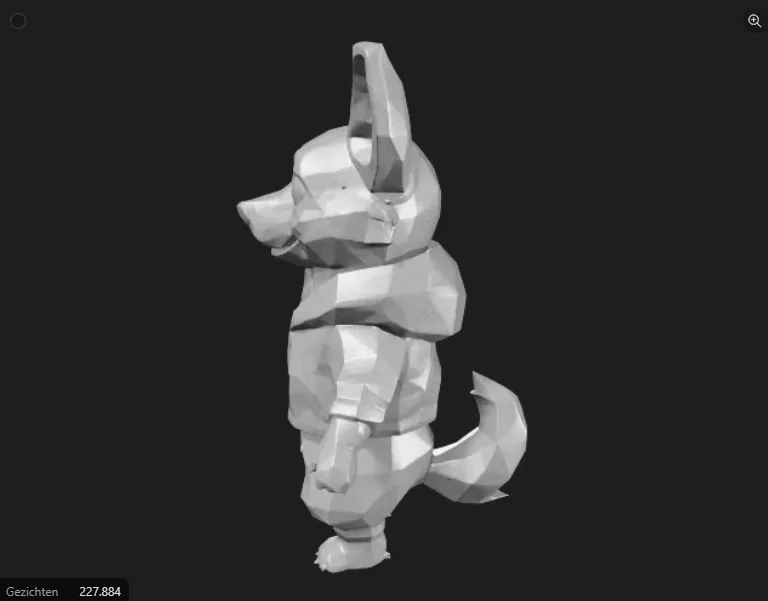
Look at the bottom left of that image: 227,884 faces. For a low-poly game character, that is a lot. Still, I wanted to see how far the AI road would take me. Not very far, it turned out. With that many faces, every adjustment became a nightmare. Then I tried to give the model a rig, and the rig messed up the mesh altogether.
A rig is the skeleton inside a 3D model. You place bones in it, attach the mesh to those bones, and when a bone moves, the mesh around it moves along. It is a bit like a puppet: the strings only work if they are attached to the right places. On a mesh that dense and messy, nothing was attached to the right places.
That was the moment I decided: this is as far as I go with AI, and from here on I clean it up by hand. I also want to be in control of how Floef moves. And honestly, I do not want to ask AI for every detail. Doing a lot of it yourself is far too much fun. From that point, AI became what it should be in this project: a useful tool that supports the work, not the one doing it.
Back to school
I had used Blender before, somewhere around version 2, and then never touched it again until now. So for me it is basically a new tool. That is why I started the Blender course on low-poly worlds and characters.
The most useful thing so far is the style itself. In the cozy low-poly look, less is more: fewer faces, simpler shapes, and the character still reads perfectly. I also liked getting the complete workflow handed to me step by step, from the first shape to a finished character. When a tool is this big, knowing the order of things is half the battle.
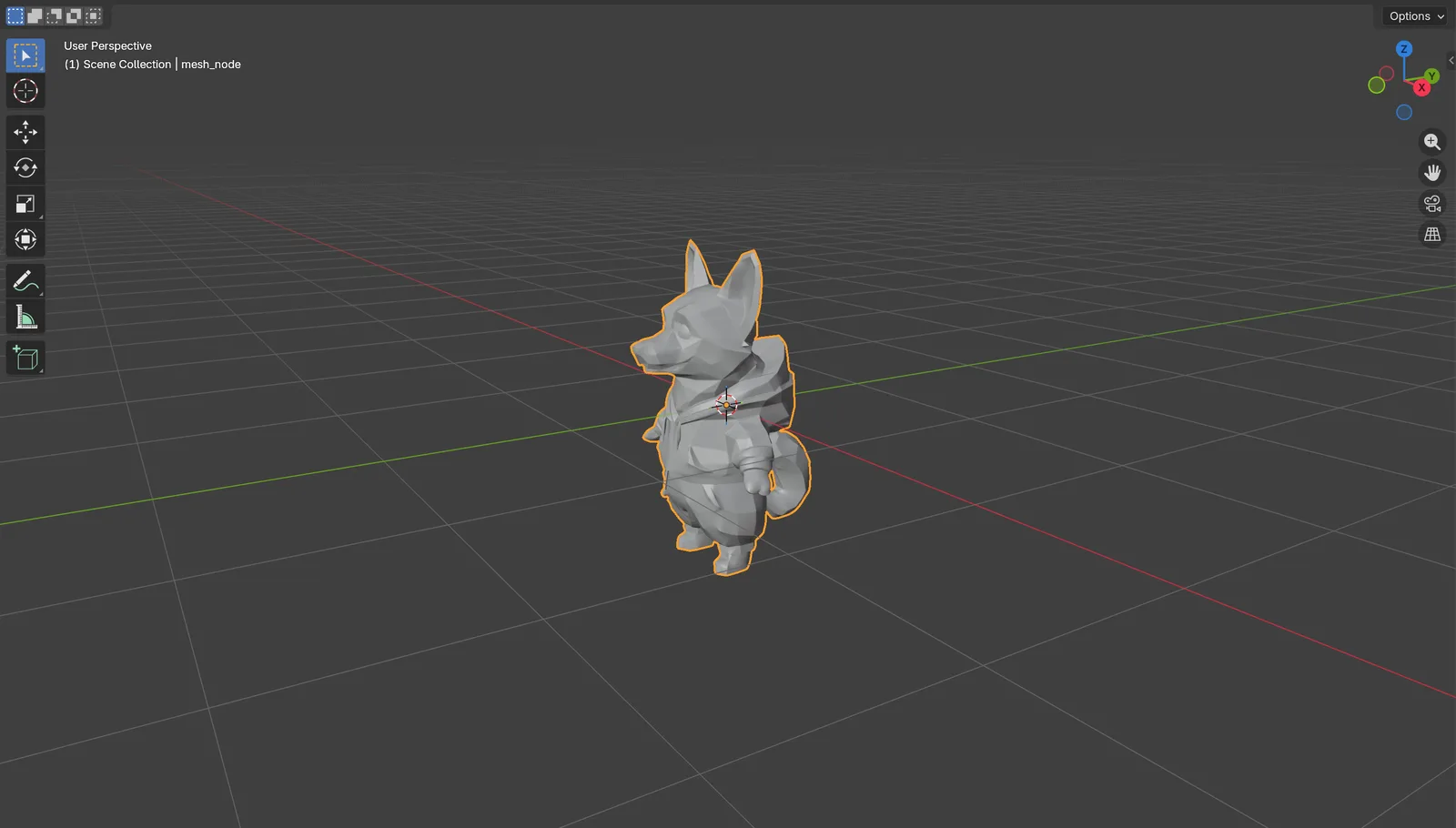
This is where Floef stands today in Blender:
What’s next
The plan is clear. First I clean up the mesh. Then Floef gets a basic rig, so I can replace the little demo robot from part 1 with her and see how she does in the game. Once that works, I add animations and more bones to make her more alive. That is also where the real puzzle starts: a skeleton for a corgi who walks on her hind legs and actually uses her tail.
And somewhere down the line, she gets her Woefer.