You know the feeling. You find a tool that looks great, you start using it, and then the button you need has a little lock on it. Upgrade to Pro. Not for some exotic power feature, but for something you would call normal.
I run into that more often than I would like, and Git clients are no exception. So I did what a developer does when something annoys him long enough: I built my own. It is called Branchline, it is free, it is open source, and version 0.1.0 came out nine days after the first commit.
Why another Git client?
First, for everyone who does not live in a terminal: Git is the tool developers use to keep track of changes in their code. Every change is saved as a commit, a snapshot with a short message. Work happens on branches, side roads where you can try things without breaking the main road, and later you merge them back together. Git itself is a command line program: powerful, but you type everything, and you have to remember what to type.
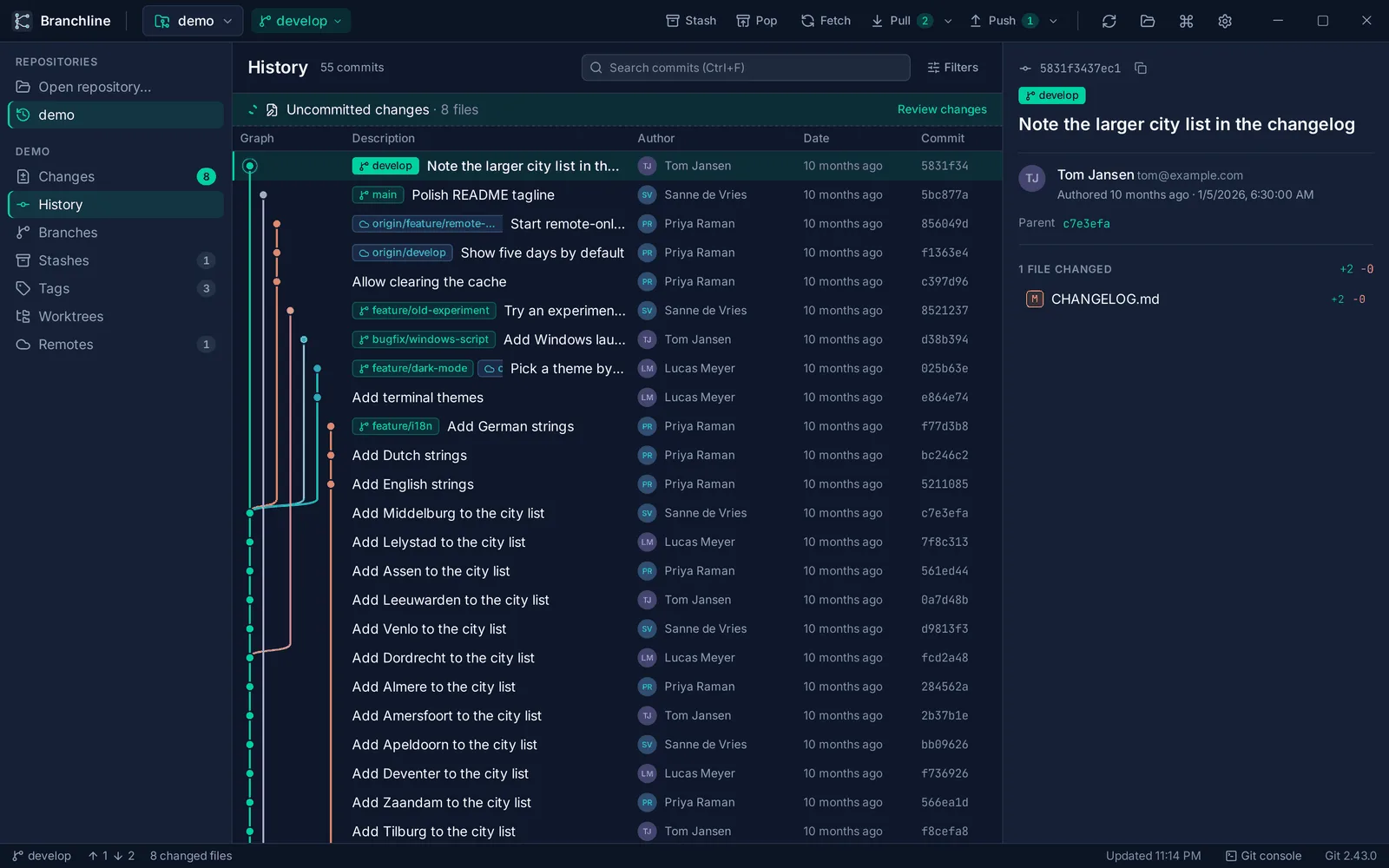
A Git client puts a window on top of that. Your branches become a graph you can see, your changes become colored lines you can click.
There are plenty of those clients. But the ones with the nice advanced features often want a subscription for them, and sometimes even for things I consider basic. I wanted one tool with the standard and the advanced features, that works with your own accounts on public and private repositories, is open source and costs nothing extra. Not as a free trial of something bigger. Just a tool.
A dashboard on top of Git
One decision shaped everything: Branchline does not reimplement Git. It drives the Git you already have installed, the same command line program, and shows you the result.
Think of the dashboard in a car. It does not replace the engine, it shows you what the engine is doing and gives you the pedals and buttons to control it. That has a nice side effect: whatever Branchline does is exactly what Git does in your terminal. No surprises, no second opinion about what your repository looks like.
Under the hood it is a Tauri 2 app, with Rust doing the work with Git and React with TypeScript for the window you look at. It runs on Windows, macOS and Linux.
Nine days, seven milestones
There was no prototype and no earlier attempt. Just the idea, and a challenge I set for myself: build a usable product as fast as possible, as a shell around the existing Git command line.
I split the work into milestones, numbered 0 to 6, and the commit history shows how it went:
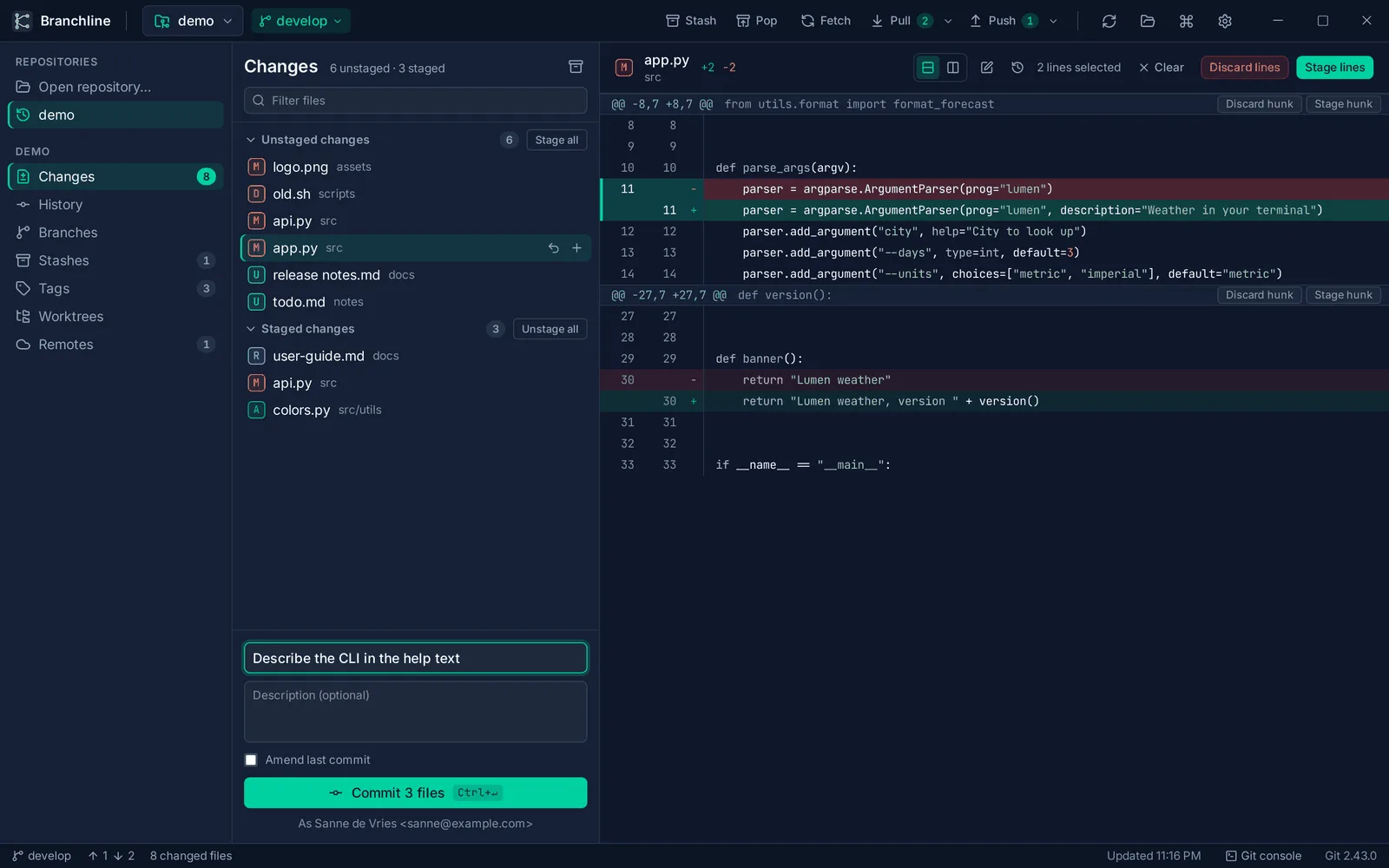
- October 13: the project is set up and the first real feature lands: staging. Picking which changes go into your next commit, down to single lines.
- October 14: commits, amending the last commit, and the history of your repository.
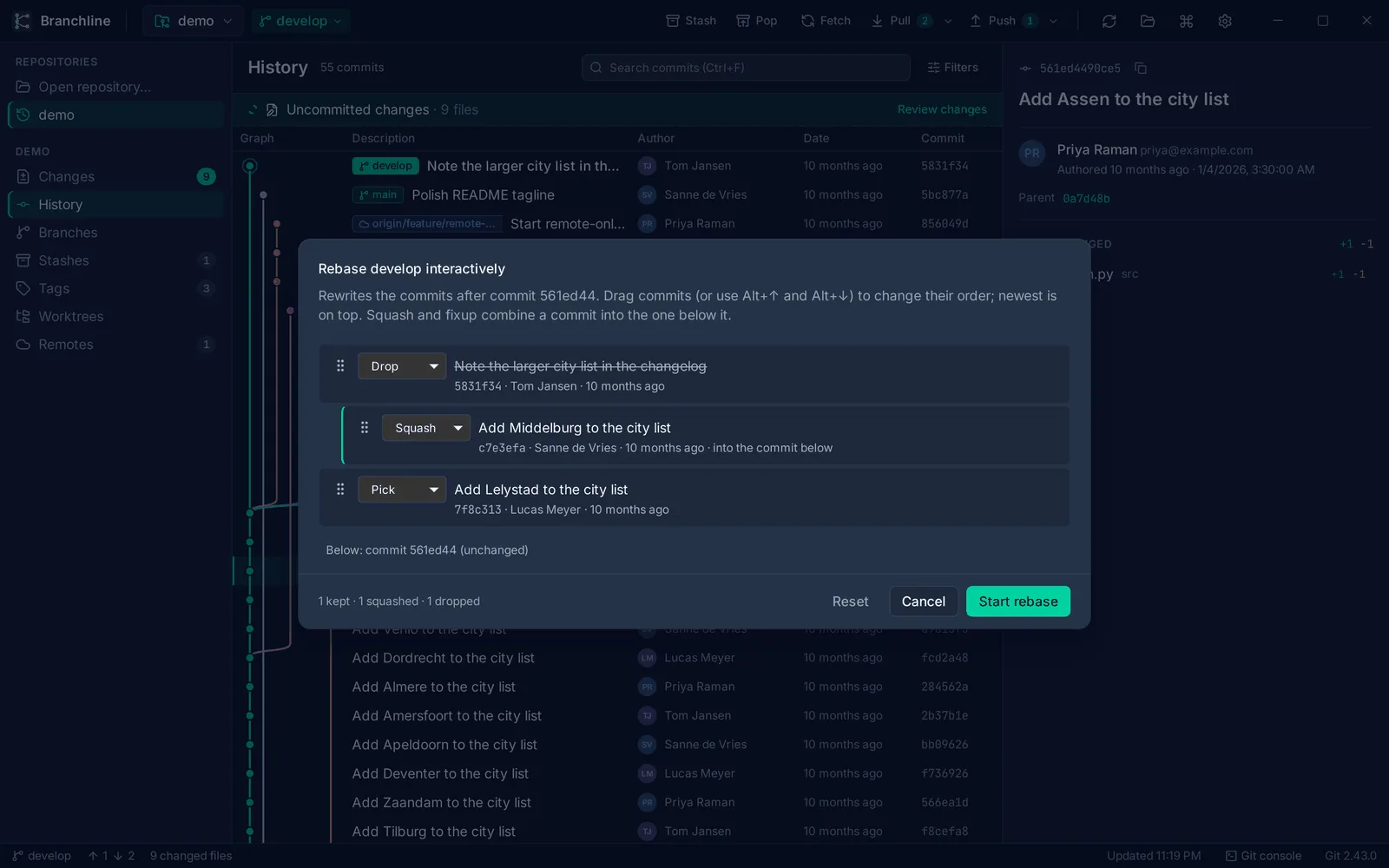
- October 16: a big day. Branches, fetch, pull and push with progress, stashes, tags, and then merge, rebase, cherry-pick and revert. Even interactive rebase, where you drag commits into a new order.
- October 22: a three-pane editor for merge conflicts, worktrees, a settings screen, commit message suggestions from your own AI server, history search, side by side diffs with syntax highlighting, and everything needed for a release. That same day, version 0.1.0 went out.
The AI types, I test
That speed did not come from me typing faster. I used AI to write the code.
That sounds like the AI built Branchline, but that is not how it felt. For each milestone I knew what I wanted: which features, how they should behave, what the screen should look like. The AI turned that into code quickly. My job was to test everything it produced: does it handle Git correctly, does it behave the way I had in mind, does it fit the milestone? If not, back it went.
It is a bit like having a very fast builder on site. You still need to be the one with the plan, and you still need to walk through every room before you sign off. The typing became fast. The thinking and the testing did not go away.
What surprised me
Honestly? How quickly it all came together. The interface, the small tweaks, the builds: things I expected to take weeks were done in days.
That includes the boring but important release work. Branchline 0.1.0 shipped with installers for all three platforms, an update check that installs new versions after asking you, a command palette for every action, full keyboard control and an accessibility review.
I also wanted proof that it stays fast on big projects, so Branchline measures itself. On the Git project’s own repository, with about 82,000 commits, it opened the repository in about 1.2 seconds and showed the history in about half a second. That was measured on a slow test machine without a graphics card, so on a normal desktop it should only be quicker.
What’s next
Here is the honest part: the hard work is still ahead. The features in 0.1.0 are the ones every Git client needs. The next steps are features that are more advanced than anything in there now, and that is where it will get interesting.
On the practical side, the Windows and macOS builds are not signed yet. Your computer will warn you the first time you open Branchline, and the manual explains how to get past that. Signing is prepared and next on the list.
In the meantime, Branchline is out there, free and open source. If you want to give it a spin, the downloads are on the releases page. In part 2: what happened when someone other than me started using it.