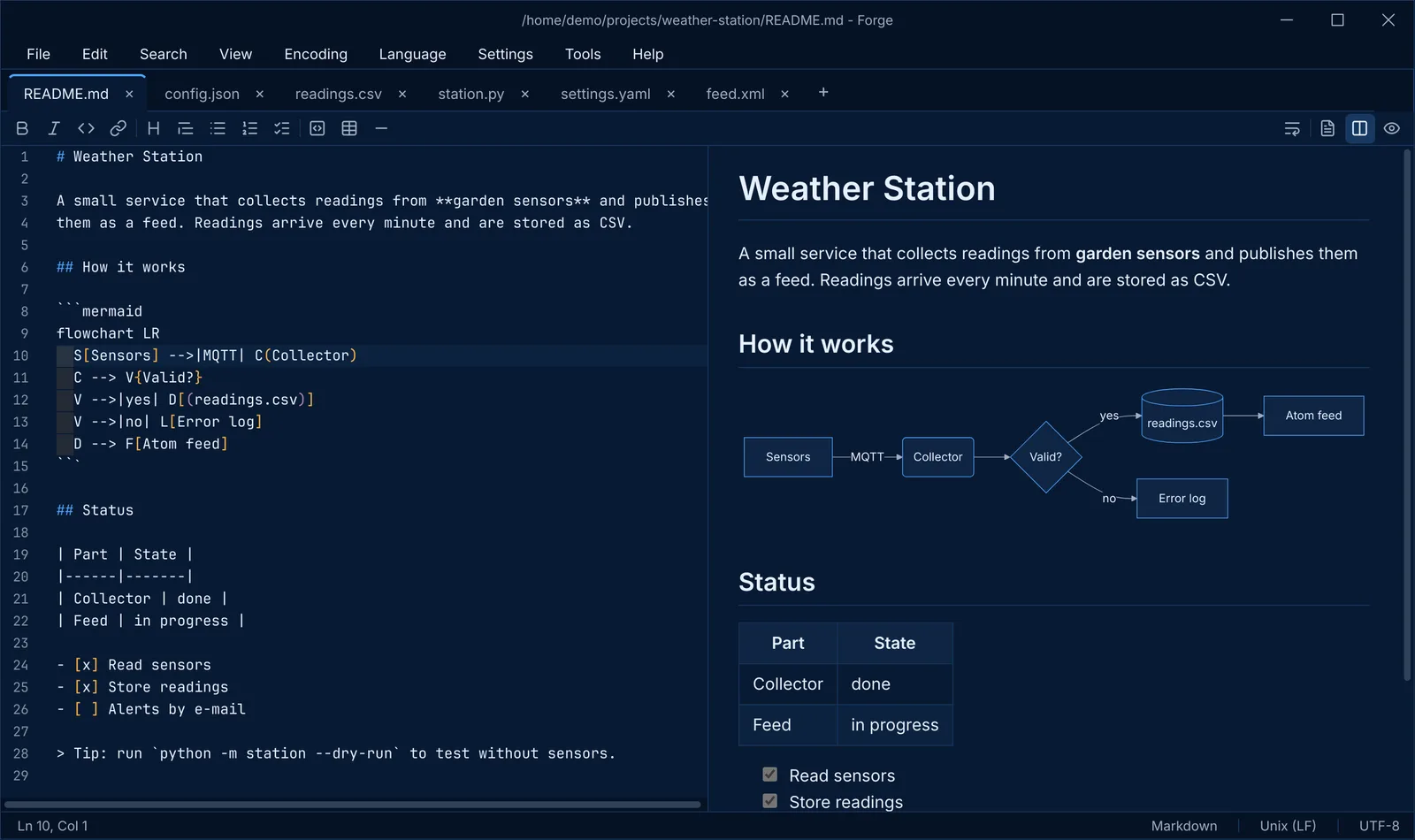
A typical afternoon as a backend developer: I jot down a quick note, paste an API response to see what came back, decode a Base64 string someone sent me, and try to figure out when a scheduled job will actually run. Four small jobs, and often a different tool or website for each of them.
I wanted one place for all of that. Something simple enough to open in a second, but smart enough to help with the developer chores I do every day. So I built it. It is called Forge, and version 0.1.0 came out the day after I started.
Simple, but not too simple
There are plenty of text editors, from bare bones to full development environments. What I missed was the space in between: a simple text editor that is still advanced enough to help with the basic dev stuff. Base64, cron expressions, timestamps, that kind of thing.
Building my own means I decide which tools go in. Not a plugin I have to find and hope it is still maintained, but tools that are part of the editor and work the way I want. That control is the whole point.
Notes that never get lost
On Windows I always used a simple editor as a scratchpad: quick notes in tabs that I never bothered to save. Forge works the same way. Close it with unsaved tabs, open it again, and everything is still there, text included.
It also searches through whole folders with Find in Files, with regular expressions and file filters for when you are looking for that one line you know is somewhere in a project. And it stays fast: large files load in the background, and above 20 MB Forge switches off the heavier features so even huge log files scroll smoothly.
A toolbox for a backend developer
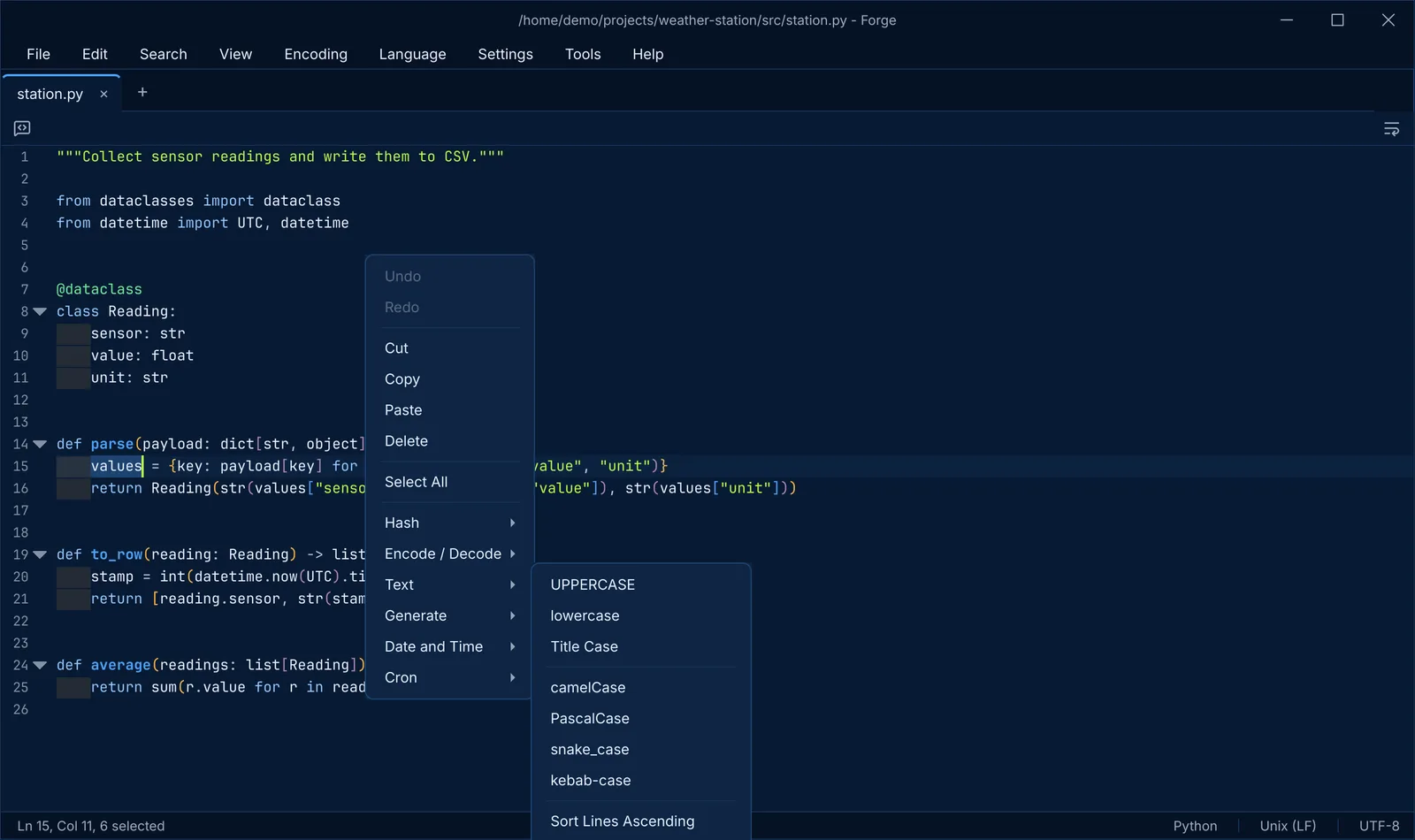
Every document in Forge gets a toolbar with the tools for its language. These are the ones I reach for most:
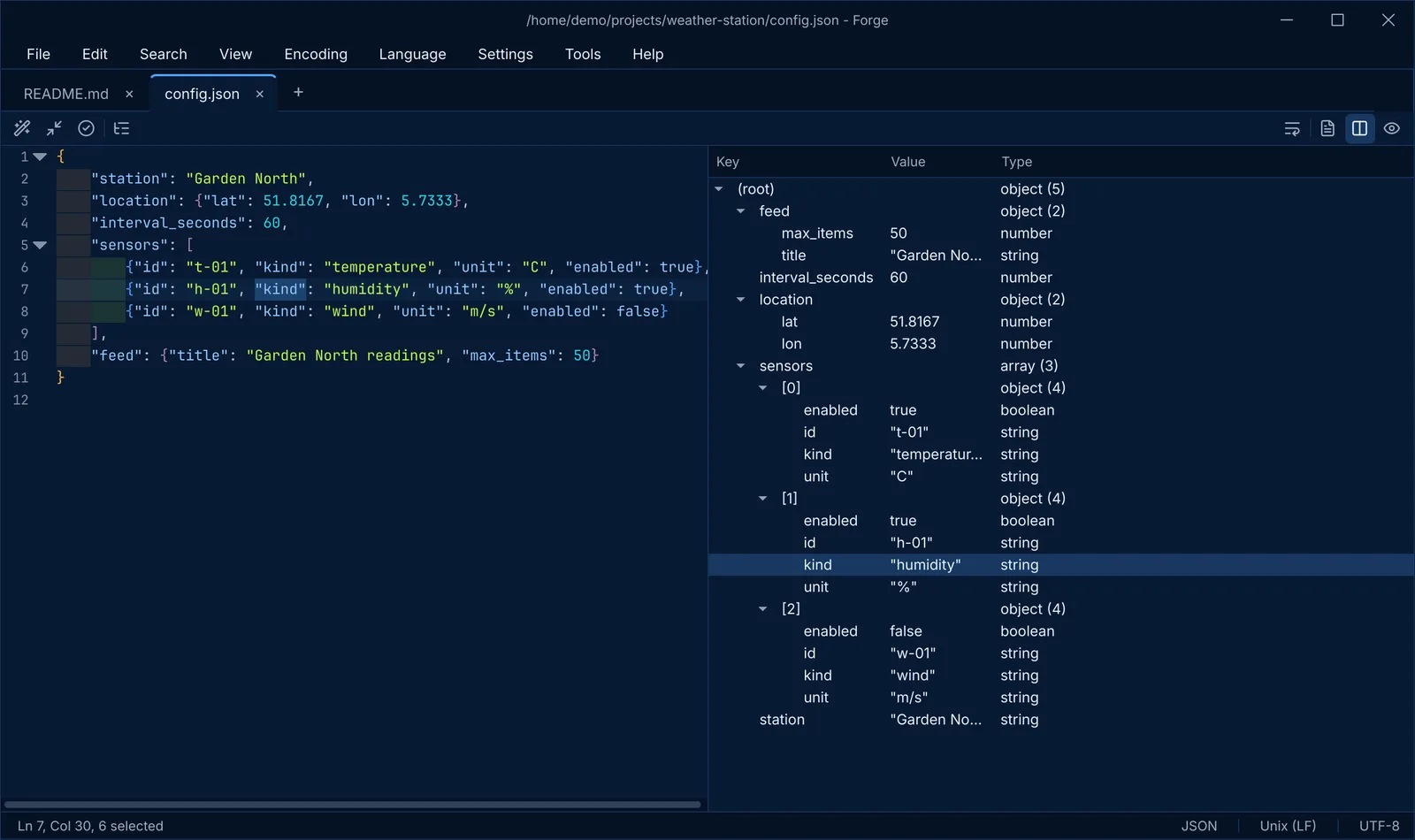
- JSON, the format most APIs answer in. Forge formats it, checks it while you type and shows it as a tree you can click through. For someone who reads API responses all day, that is a big one.
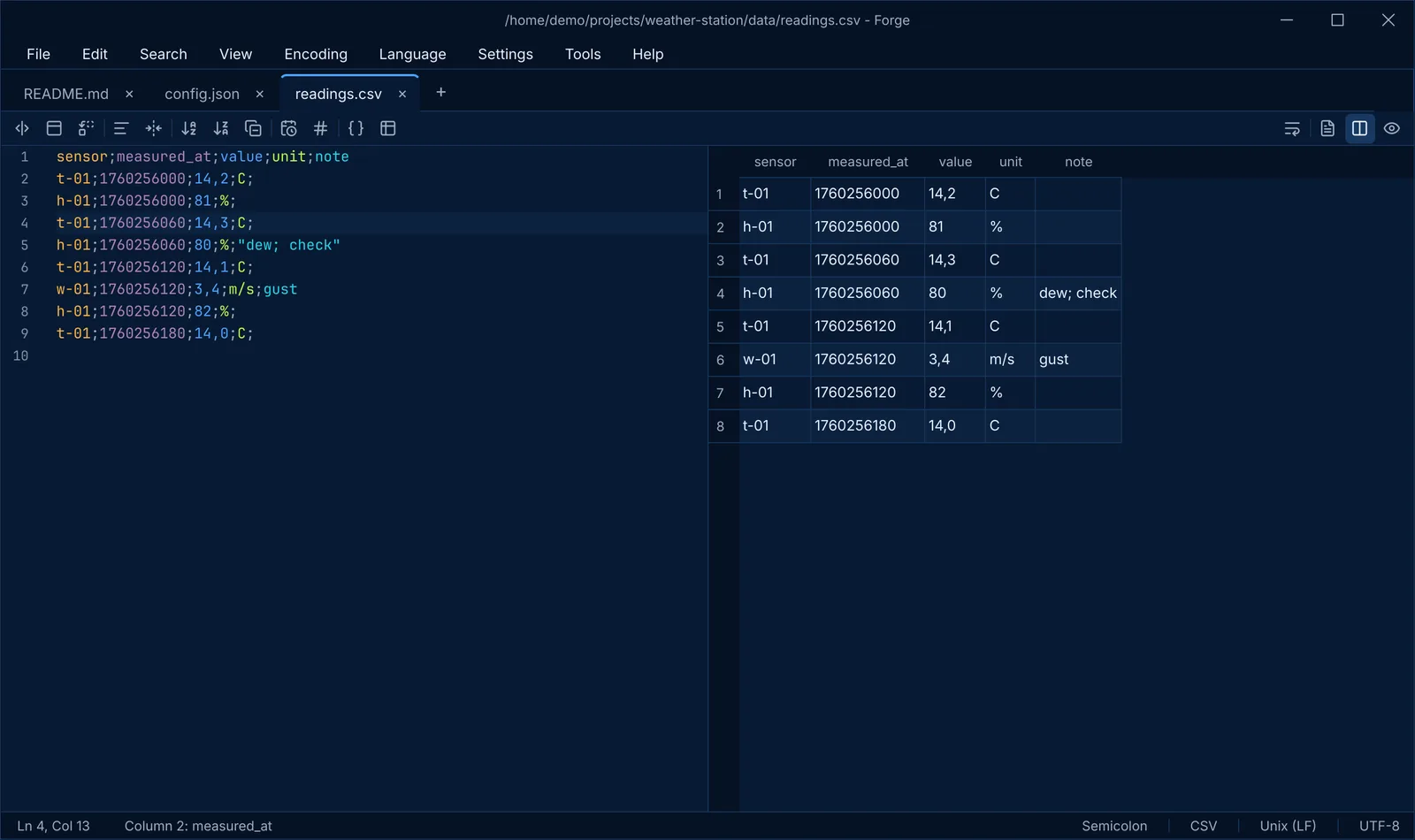
- CSV, a spreadsheet saved as plain text. Forge gives every column its own color, shows the file as a table and converts it to JSON with one click.
- Base64, a way to write any data as plain letters and numbers, which you often see in tokens and configuration. Forge encodes and decodes it, together with URL encoding, hashes and timestamps.
- Cron, the little five-part code that tells a server when to run a job.
0 3 * * 1means every Monday at three in the morning, but nobody reads that at a glance. Forge explains the expression in words and shows the next times it will run. It is my favorite tool in the box.
Five phases, one day, hardly any typing
I wrote Forge in Python, a language I know well, with PyQt6 and QScintilla for the window and the editing. I took the same approach as with Branchline: I described what I wanted in phases, AI wrote the code, and I reviewed and tested the result. The commit history shows phases A to E, from the application skeleton to large files, find and replace, preferences and all the built-in tools, all on one day.
The surprise was how little I touched the code myself. I expected to dive in all the time, and I did not need to. That felt strange at first. But seeing the things I had in mind come to life that quickly also gave me an energy I sometimes miss in my day job, where everything I build is backend and invisible.
On a project like this I am really a product owner with a lot of developer experience. That makes reviewing and steering easy: I know what to look for in the code, and I know what I want the tool to do. And the testing takes care of itself, because I have used Forge every single day since the release.
Windows, the uninvited guest
Windows was not part of the original plan. Forge was meant for macOS and Linux. But a day later it was in after all, and that is where the annoying part turned out to be.
The code was not the hard part, although Windows did have its own opinions about line endings and file permissions in the tests. The hard part was building it. To make Windows installers automatically, I needed a Windows machine to run my GitLab builds on. So I set one up in Proxmox, my home server setup: a fresh install that is always on and runs headless, without a screen.
My own dev machine, where I had tested everything, had all the tools in all the right versions, and a few wrong ones too. A clean machine has none of that. Moving everything over and getting every tool in exactly the right version was the most annoying part of the whole project. Forge and Archy were the first projects to use that Windows runner, so at least that pain only had to happen once.
Version 0.1.0 shipped on October 13 with downloads for macOS on Apple Silicon, Linux and Windows. Forge is open source under the GNU GPLv3 license.
What I learned
- Build the tool you actually use. Forge does not try to do everything. It does the things I do every day, and that is why I open it every day.
- The typing is the easy part. With AI writing the code, my value was in knowing what I wanted, reviewing what came back and using it for real.
- Clean machines tell the truth. “It works on my machine” means very little when your machine has years of tools installed.
What’s next
The next version is almost ready, with new themes and a much bigger cron tool. It gets a post of its own.